dayanagt.ux@gmail.com
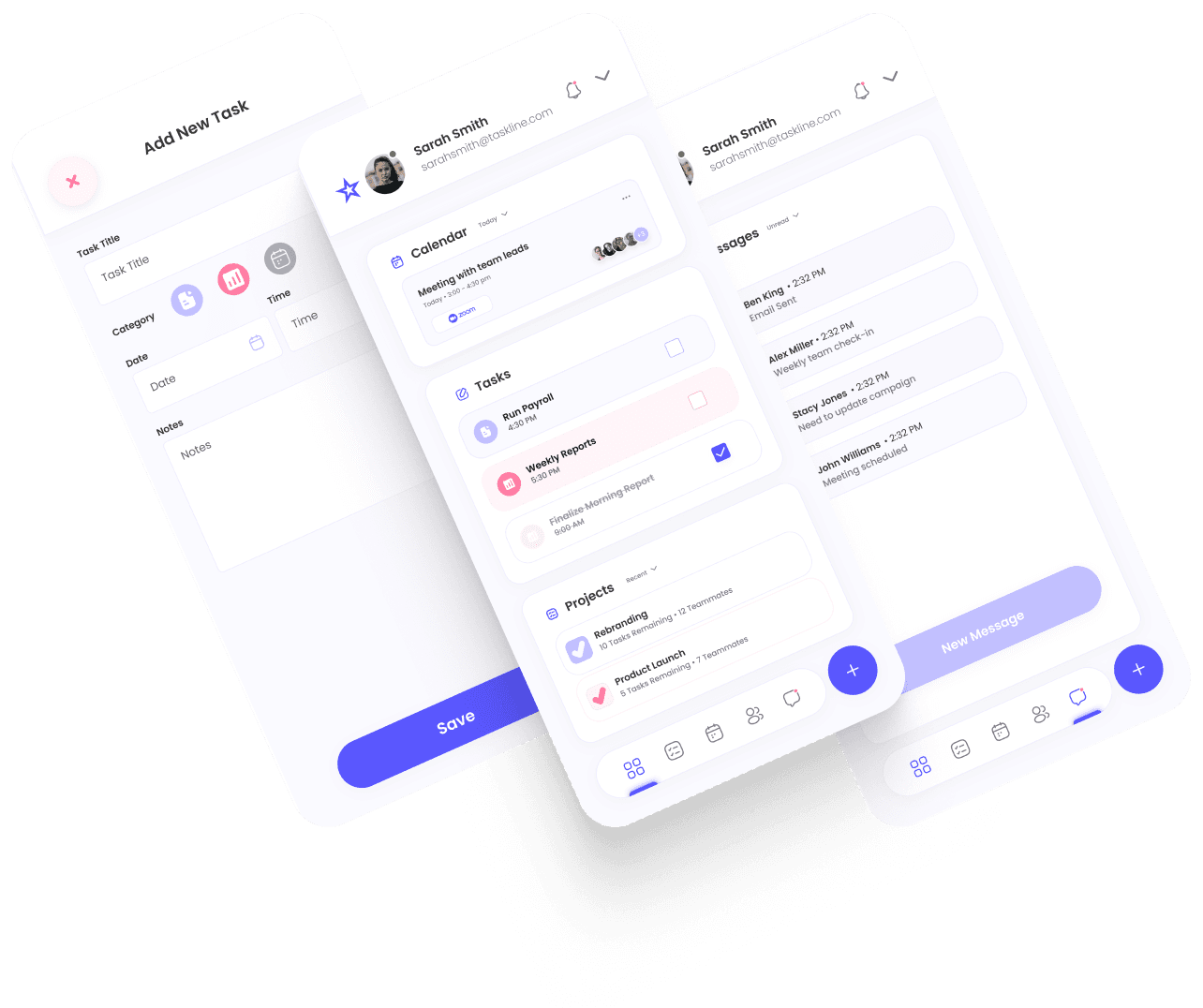
Productivity & Task Management Mobile App
Designed as the mobile extension of the productivity platform, this mobile app targets on-the-go users who need quick insight into tasks, priorities, and progress. I led the mobile UX and interaction strategy, prioritizing focus, accessibility, and responsive touch interactions to complement the core dashboard experience.
Project Type
Conceptual / Portfolio Case Study
My Roles:
UX/UI Design
UX/UI Design
Information Architecture
Content Strategy
Researcher
Visual Design Direction
Product Owner
Case Study Sections:
Defining the Problem
Market Research
Competitive Analysis
Journey Map
Wireframes
Results
While desktop dashboards are powerful for deep insights and cross‑functional work, mobile users behave differently:
They check less frequently, want quick context, and hate deep navigation layers. On smaller screens, a dense dashboard becomes overwhelming and inefficient — especially for users needing immediate task guidance or status at a glance.
Problem Statement:
Mobile users needed a version of the productivity dashboard that provided immediate clarity, reduced complexity, and one‑thumb navigation, without simply copying the desktop interface. This meant prioritizing the right information at the right time and designing for focus first, depth second.
Defining the Problem
Research
Market Research
The Claim
Research indicates a growing demand for mobile-first productivity tools, as professionals increasingly rely on smartphones to manage tasks, track progress, and stay connected while on the go.
Research Insight
Mobile usage patterns differ from desktop: users check in briefly, focus on next actions, and avoid deep navigation. Competitive mobile productivity tools reinforced this pattern — content must be scannable and hierarchical.
Competitive Analysis
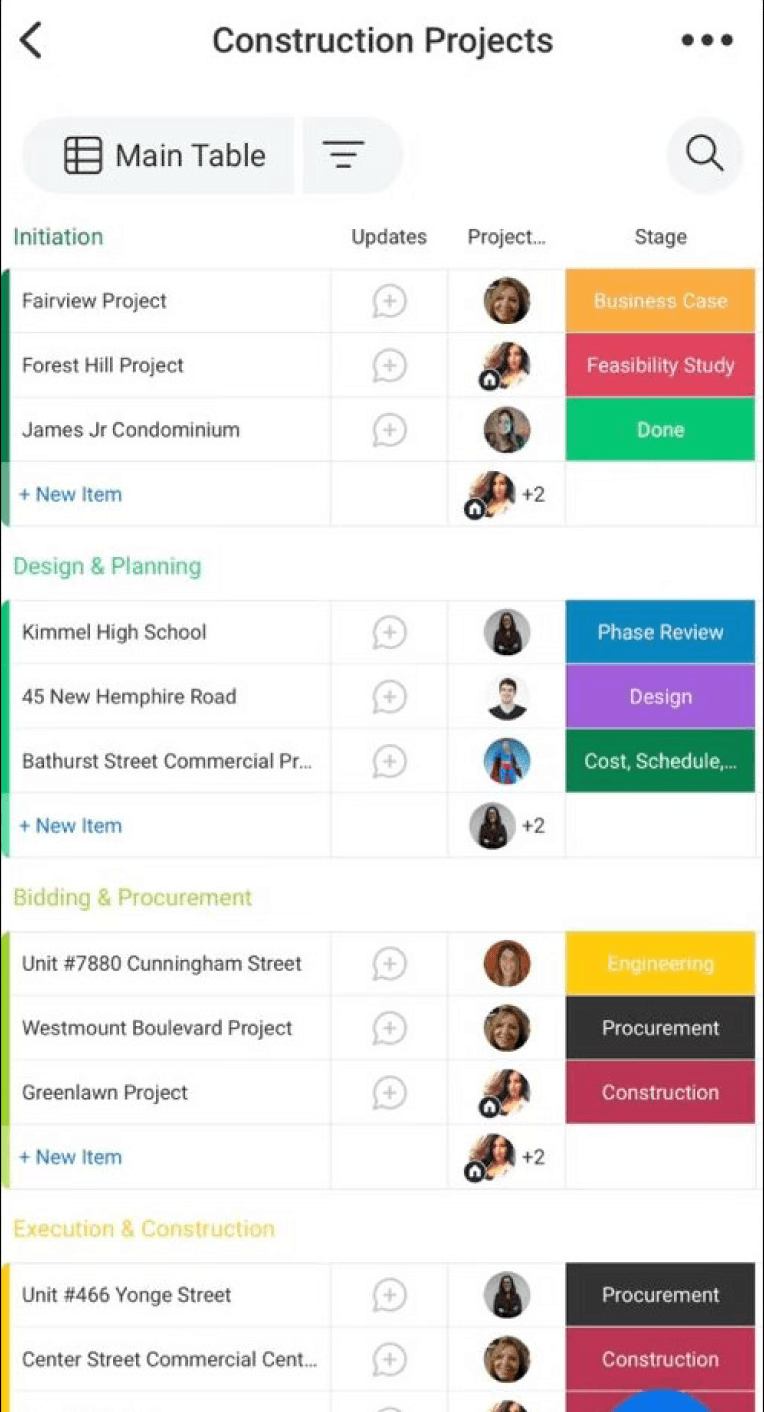
Monday.com
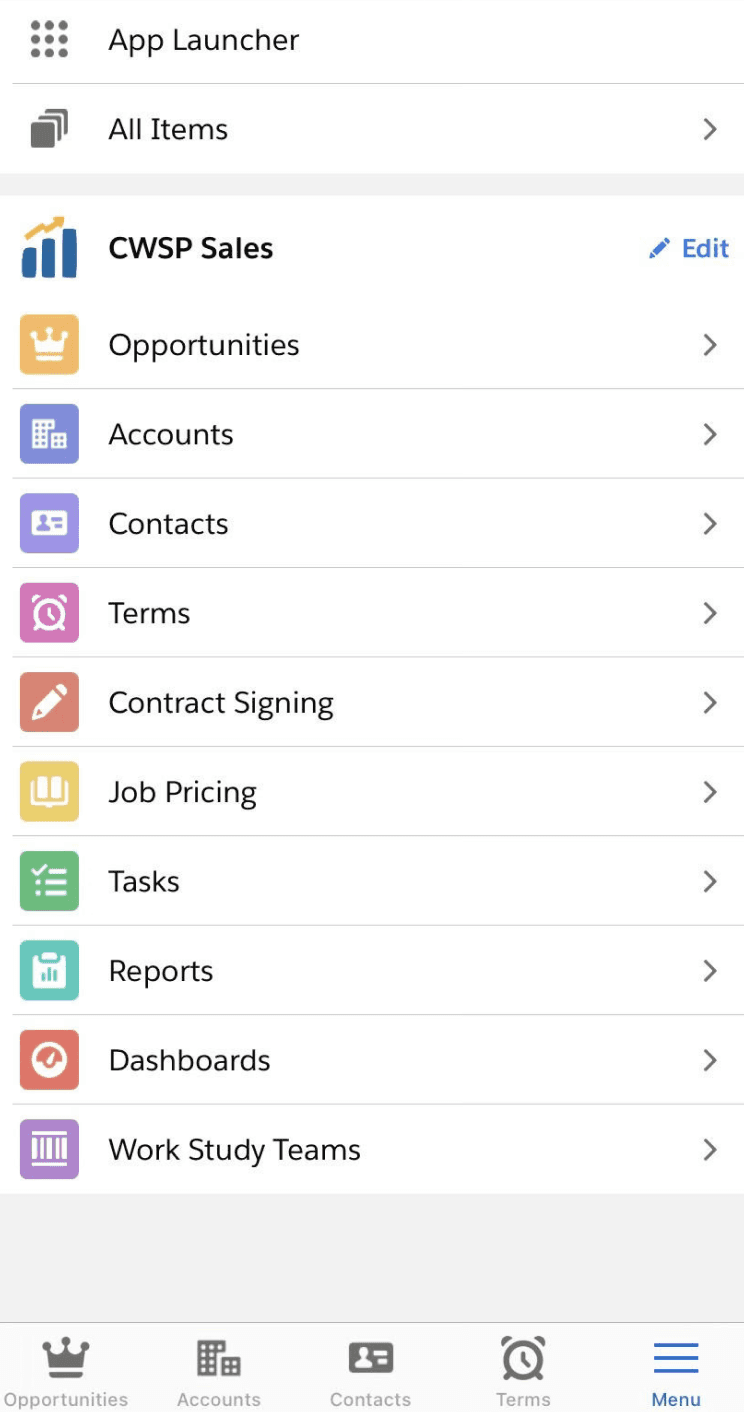
Salesforce
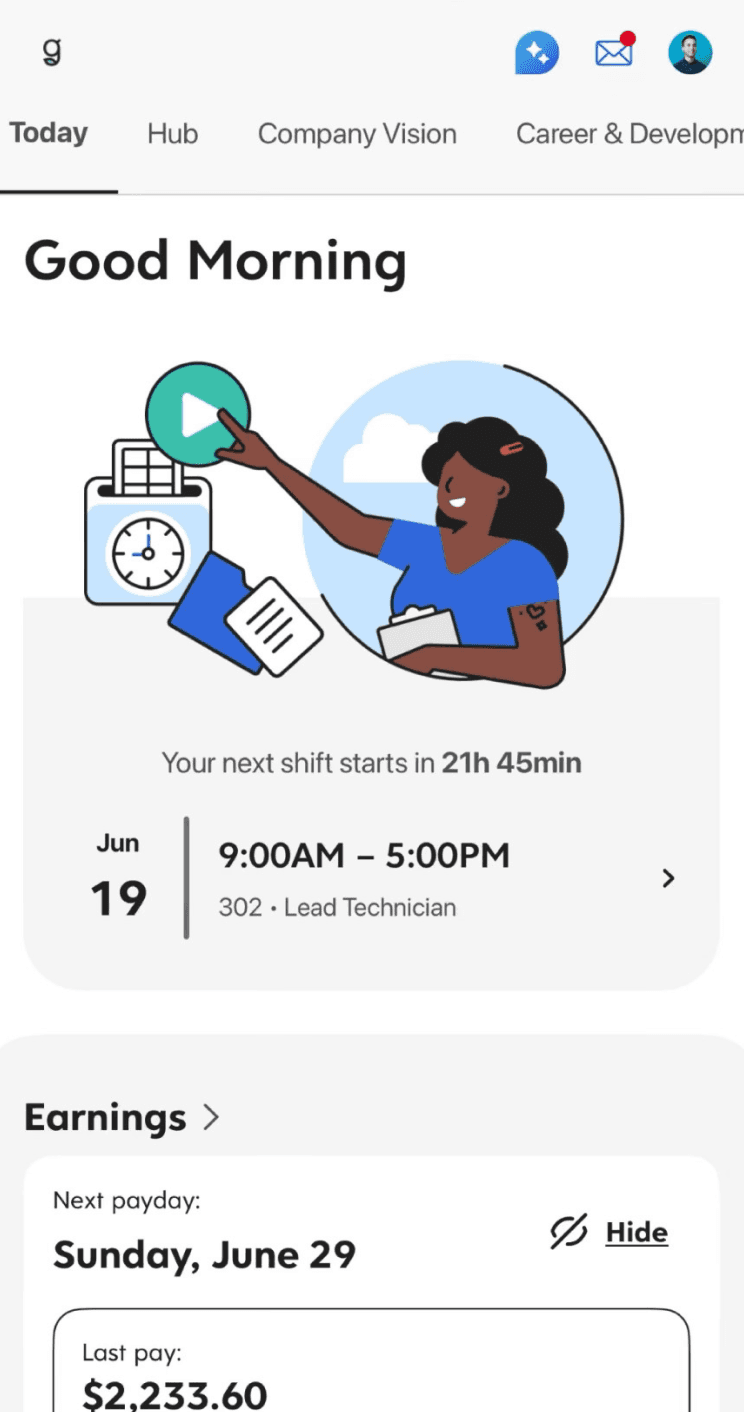
Dayforce
The Good
On-the-Go Accessibility: Users can manage tasks, check updates, and track progress anytime, anywhere.
Notifications & Reminders: Alerts help users stay on top of deadlines and important tasks.
Visual & Intuitive Design: Clean interfaces and dashboards make it easy to scan progress and focus on key tasks.
The Bad
Poor Task Organization: Difficulty prioritizing, sorting, or categorizing tasks effectively on a smaller screen.
Steep Learning Curve: Users struggle to understand workflows or navigation without proper onboarding
Syncing Problems: Data not syncing reliably between devices or platforms, causing inconsistencies.
App Comments
P. Fawkes
I love this app and it has greatly improved my daily productivity, but there are a few frustrating things I’d like to see changed. Unable to access archive items and my subscription from the app.
U. Former
[In the Salesforce app] When scrolling a record, it will often get stuck and not allow that scroll to continue. It seems to be scrolling from memory, but the content of the screen is pure text.
Ash S.
Overall the app is fairly easy to use. I do find I will randomly get logged out but my biggest complaint has to be syncing my DayForce calendar with my Apple calendar.
User Survey
User survey used to uncover how individuals and teams use mobile productivity apps, what features they rely on most, and the challenges they face managing tasks on the go. Insights from the survey guided the app’s design priorities, highlighting the need for a streamlined interface, quick access to key tasks, and clear progress tracking—ensuring the mobile experience was both efficient and aligned with real user goals.
Insights — Mobile Usage Patterns & Competitive Signals
Research into mobile productivity behavior shows that mobile sessions tend to be:
Short and frequent — users check in, see what matters, and return to work.
Focus‑driven — users want clear next actions, not full toolsets.
Gesture and reachability‑oriented — interactions must be optimized for touch and one‑thumb use.
Competitive analysis of mobile productivity tools reinforced these needs: mobile experiences must show what matters now and defer deeper insights until explicitly requested.
From these patterns, we defined three guiding principles that shaped design direction:
Focus first, depth second — surface core tasks before secondary info.
Minimize cognitive load — reduce clutter and optimize for quick scans.
Responsive touch feedback — clear states and touch‑friendly elements for confidence and speed.
The Design Process
Strategic Mobile Decisions & Tradeoffs
Instead of porting every desktop feature, I rethought the product for mobile context:
Simplified Information Architecture
Decision: Focus the landing view on next actions (next tasks, priorities, quick status).
Rationale: Mobile users check the app in short bursts and want what’s most actionable first.
Tradeoff: Some secondary details were deferred to nested views to reduce initial friction.
Bottom Navigation for Reachability
Decision: Use a bottom navigation pattern familiar to mobile users.
Rationale: Supports one‑thumb interactions and predictable movement across screens.
Tradeoff: Navigation options had to be limited to essentials to avoid cognitive overhead.
Progressive Disclosure of Detail
Decision: Only show deeper metrics or extended information when explicitly requested.
Rationale: Keeps screens light and focused, avoiding clutter that often plagues dashboards.
Tradeoff: Users looking for in‑depth analysis may need a clear “More details” path.
Mobile‑First Interaction Patterns
Decision: Design touch targets, spacing, and gestures optimized for mobile.
Rationale: Better usability and confidence in interaction — a core mobile requirement.
Tradeoff: Some desktop patterns were reimagined entirely rather than adapted.
Journey Map
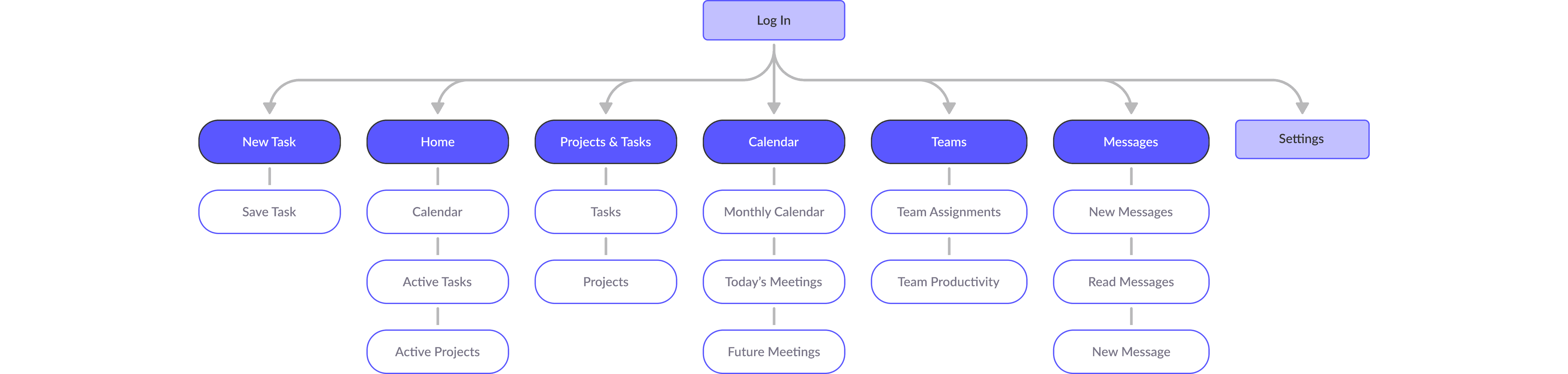
Simplified the core task flows to reduce the need for navigation layers. Key decisions included:
Prioritizing the task list over secondary info on the landing view
Using bottom navigation for predictable reachability
Limiting detail screens until requested to preserve focus
Tradeoffs were intentional: I reduced density to increase clarity — a classic mobile UX pattern for engagement.
Design in Stages
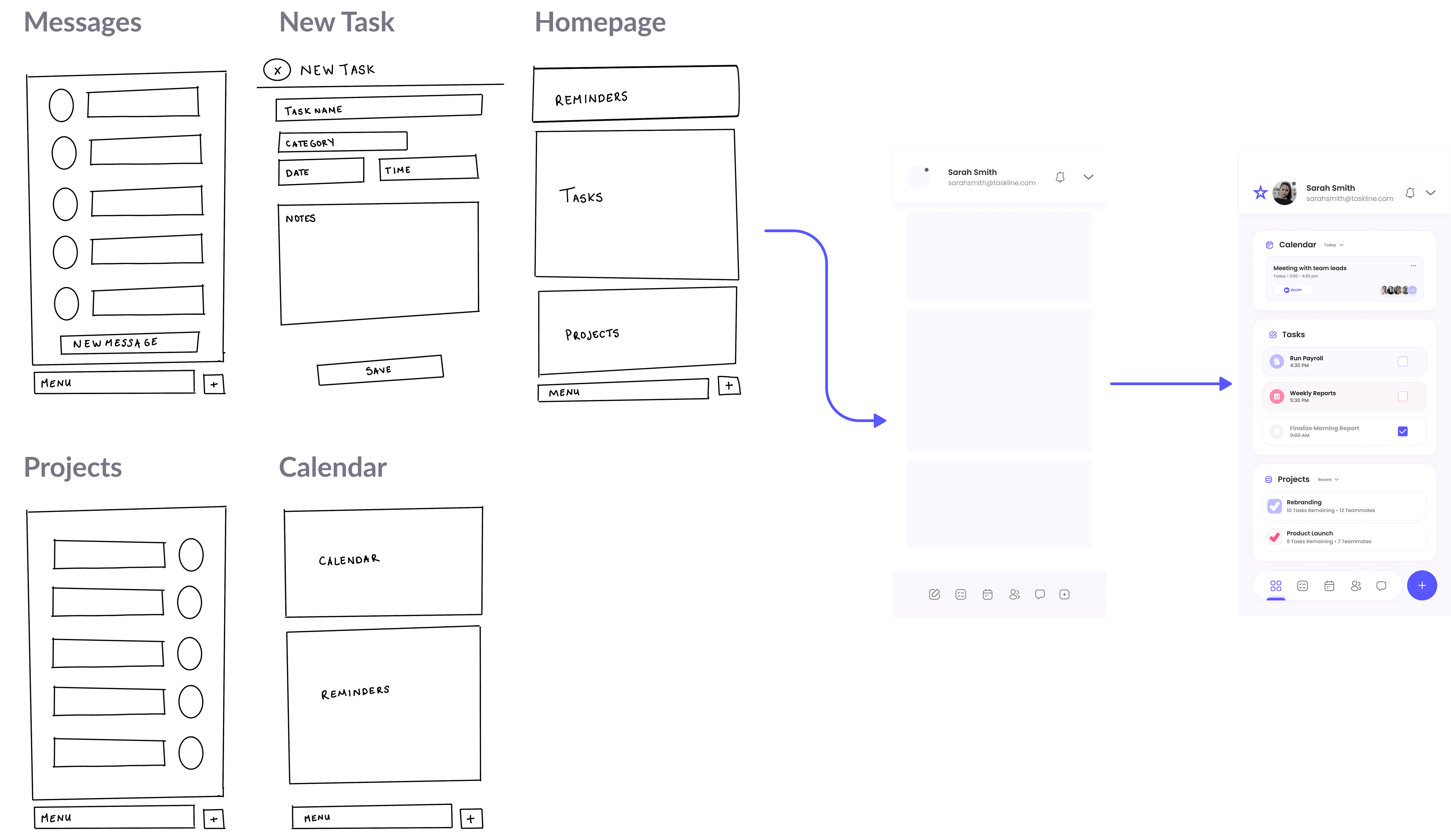
Mobile introduces constraints around hand position, reachability, and attention span. All interactive elements were sized and spaced for one-thumb use, with contrast and touch targets aligned to accessibility best practices.
Common gestures and navigational flows were tested to ensure minimal friction between screens and rapid, confident interactions.
Results
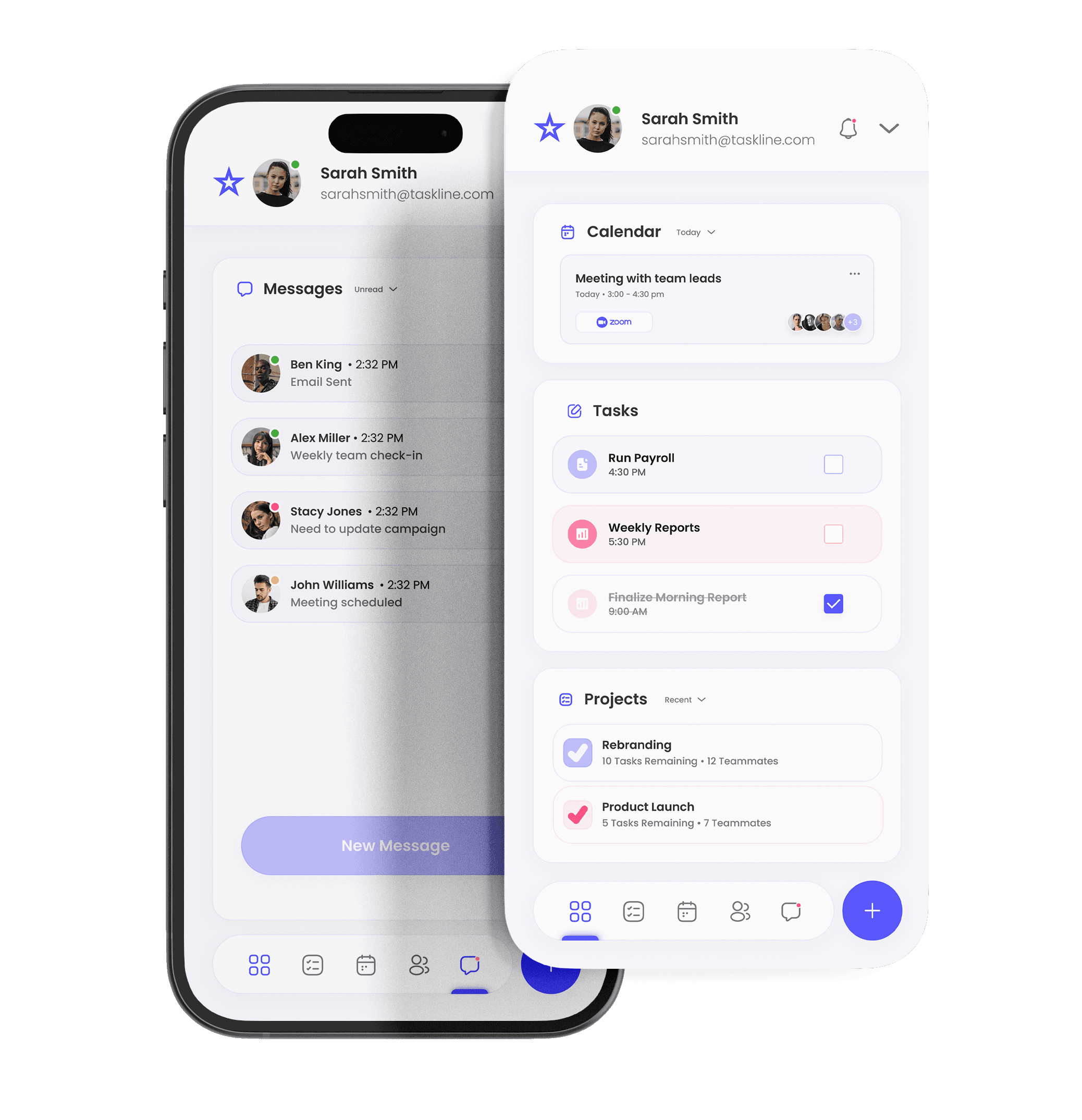

The mobile app preserved the most essential flows of the dashboard while reinterpreting them for quick, context-rich mobile sessions. By reducing clutter and reinforcing core priorities, users can:
See next tasks with one glance
Navigate task progress with minimal effort
Access essential details only when needed
Translating a desktop experience to mobile required strategic prioritization and thoughtful interaction patterns. In the next iteration, I would:
Conduct remote usability tests to validate prioritization assumptions
Add usage analytics to measure task flow completion time
Explore personalization to tailor views by role or task type
Mobile UX Impact & Projected KPIs
Since this project is conceptual, outcomes are framed as intent‑driven KPIs tied to design decisions.
Design Decision
Prioritized “next actions” in core view
Bottom nav with clear reachability
Progressive disclosure of details
Touch/gesture optimization
Intended Outcome
Reduce cognitive overhead and session task completion time
Increase user confidence and flow efficiency
Balance clarity with depth
Improve usability comfort
Projected KPI
Higher task engagement per session
Lower navigation abandonment rate
Higher session duration with minimal friction
Lower accidental taps and higher interaction satisfaction
Validation Plan
Success would be evaluated through remote usability sessions focusing on first‑tap accuracy, time‑to‑task, and intent completion rates. Analytics would track engagement frequency on key flows and assess which interactions show friction points for refinement.
Reflection & Next Steps
For future iterations, I would:
Conduct remote usability tests to validate prioritization decisions.
Add usage analytics to understand task flow completion and where users drop off.
Explore personalization so users can tailor views by role or priority type.
By making strategic tradeoffs instead of surface‑level adaptations, this mobile experience supports quick check‑ins, efficient navigation, and meaningful productivity insights, positioning it to be both useful and delightful for on‑the‑go users.
All rights reserved by Dayana Gonzalez Theresine